
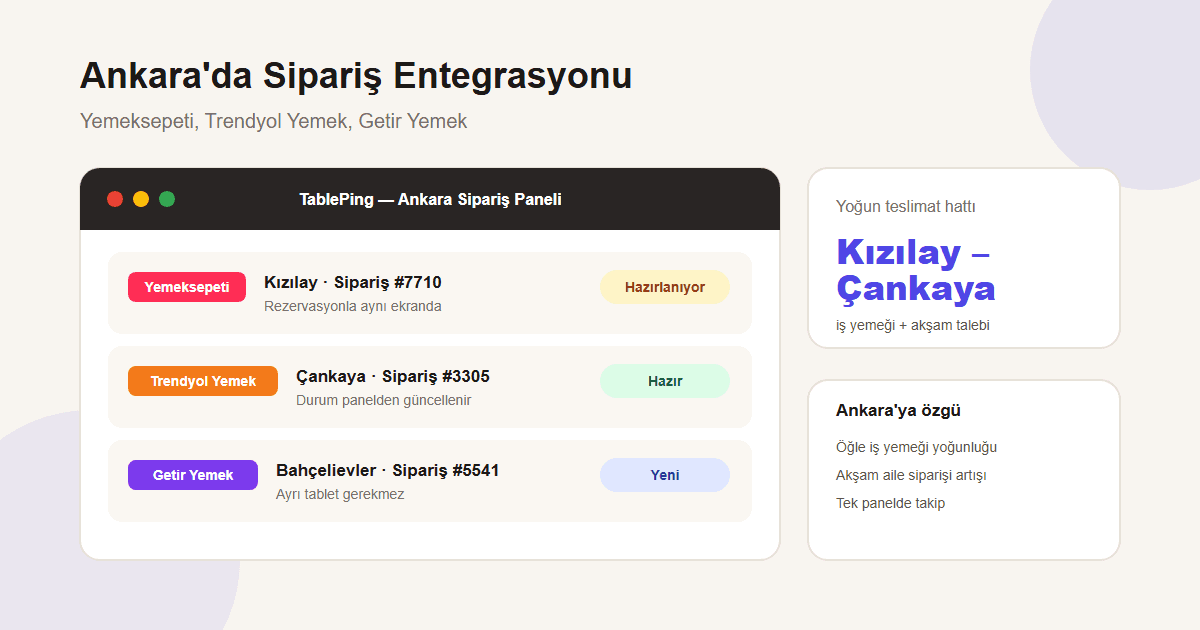
Integration Guide: Yemeksepeti, Trendyol Yemek, and Getir Yemek for Restaurants in Ankara
From Çankaya's midday office rush to Kızılay and Bahçelievler's evening family orders: a practical way to run delivery platforms from one panel in Ankara.
Delivery demand in Ankara runs on two different rhythms: weekday lunch in Çankaya and Kızılay brings fast, short office orders, while evenings in neighborhoods like Bahçelievler, Çayyolu, and Keçiören lean toward family orders. When the same chain serves both across branches, tracking separate Yemeksepeti, Trendyol Yemek, and Getir Yemek tablets per branch splits attention at both times of day.
This guide covers how Ankara restaurants bring all three platforms into one panel, and what it adds to daily operations.
1. Ankara's lunch–dinner demand rhythm
Office density in Çankaya and Kızılay produces a burst of short orders between 12:00–14:00; a delay here sends office customers to a different restaurant the next day. Evenings in Bahçelievler and Çayyolu bring larger, multi-item family orders, where the priority looks less like speed and more like getting every item right.
A team trying to watch both windows through one platform screen loses speed at lunch and risks errors in the evening.
- Lunch (Çankaya, Kızılay): fast, high-volume short orders
- Evening (Bahçelievler, Çayyolu, Keçiören): large, multi-item family orders
- The two windows need different prioritization
2. Connecting all three platforms into one panel
From Settings → Order Platforms, connect Yemeksepeti, Trendyol Yemek, and Getir Yemek accounts separately; your existing restaurant agreement and commission structure stay unchanged. Once connected, new orders appear in the panel automatically.
For Ankara businesses with multiple branches, each branch connects its own accounts; head office can view every branch’s order flow or filter to a single location.
- Settings → Order Platforms → pick a platform
- Authorize the restaurant account, per branch
- Orders appear in the panel automatically once connected
3. Speed at lunch: live status in one screen
During the lunch rush, staff confirming orders without switching between three tablets saves time. In the TablePing panel, order status (new, preparing, ready, delivered) updates from one place; you still see which platform an order came from, but the workflow is identical.
This is the most practical way to shorten order-confirmation time at branches in busy lunch areas like Çankaya and Kızılay.
4. Accuracy at dinner: menu and stock sync
Evening family orders tend to have more items, so when an ingredient runs out it needs to be marked across all platforms at once. Single-panel tracking makes it easier to see which items sell out often and update the menu accordingly.
5. What it does not change
This integration does not change your existing agreement, commission rate, or in-app customer experience (payment, courier tracking) with Yemeksepeti, Trendyol Yemek, or Getir Yemek. What TablePing provides is operational visibility and single-screen management for branches across Ankara.
Ankara's different lunch and dinner rhythms make delivery operations hard to run with phones or separate tablets alone. Bringing all three platforms into one panel lets the same team handle Çankaya's fast lunch pace and Bahçelievler's evening family orders with fewer missed orders.
Try the order-platform integrations with a free TablePing trial.