
Managing Order Platforms Centrally Across Multi-Location Restaurants
With 5, 10, or 20 locations, tracking separate Yemeksepeti, Trendyol Yemek, and Getir Yemek tablets per site does not scale. Why and how central visibility works.
Three separate order tablets are annoying in a single restaurant; in a ten-location chain, no head-office team can watch thirty screens in real time. Branch managers watch their own tablets while HQ tries to piece together data from each platform’s own reporting panel at the end of the day — meaning a stockout or a branch that keeps rejecting orders gets noticed hours late.
This article covers how multi-location businesses bring order-platform integrations into one central panel, and what that gives the head-office team.
1. Small at one location, big at ten
Three platform tablets fit on one counter at a single site. At ten locations that is forty-fifty active screens/accounts, none connected. HQ has to call each branch to know who is busy right now or who rejects orders often.
Opening a new branch repeats the same setup from scratch: new tablets, new accounts, new training. Without a standard process, every branch develops its own habits.
- Screens/accounts scale linearly with branch count
- No central visibility, data scattered per branch
- Manual setup repeats at every new branch opening
2. What changes with a central panel?
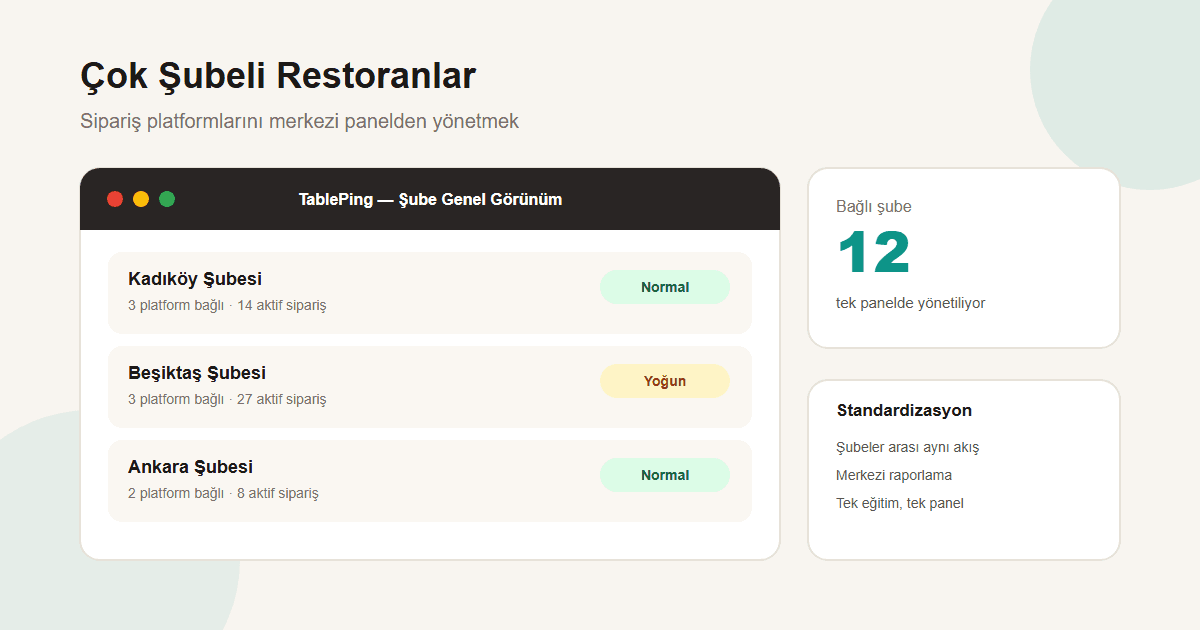
In TablePing, each branch connects its own Yemeksepeti, Trendyol Yemek, and Getir Yemek accounts, while the head-office account sees every branch’s order flow in one screen. Filter to one location, or view chain-wide load with no filter.
This does not replace each platform’s own multi-location reporting tools; what TablePing adds is operational, real-time visibility — how many active orders each branch is handling right now, and which orders have been waiting too long.
- Switch between per-branch and chain-wide views
- Active order count per branch in one screen
- Long-waiting orders surface to HQ
3. Standardizing new branch openings
A new branch follows the same steps as existing ones: connect the relevant platform accounts from Settings → Order Platforms, and staff start working in the same panel interface. The team does not relearn a different system per branch.
This standardization shortens training time, especially for chains that open branches frequently — new staff learn one interface regardless of which location they work at.
- Same setup steps at every branch
- One interface, one training process
- Faster platform connection at branch launch
4. What it solves — and does not
The central panel gives cross-branch operational visibility and single-screen tracking. Each platform’s own financial reconciliation, commission billing, and detailed sales reporting stay in their own systems — TablePing does not replace those, only centralizes order flow and status.
As branch count grows, keeping that distinction clear matters: daily operations run through TablePing, financial reconciliation through each platform’s own reports.
As branch count grows, tracking order-platform tablets one by one stops being sustainable. Seeing every branch’s order flow in one central panel simplifies both daily operations and new branch launches.
Try TablePing’s multi-location panel with a free trial.