
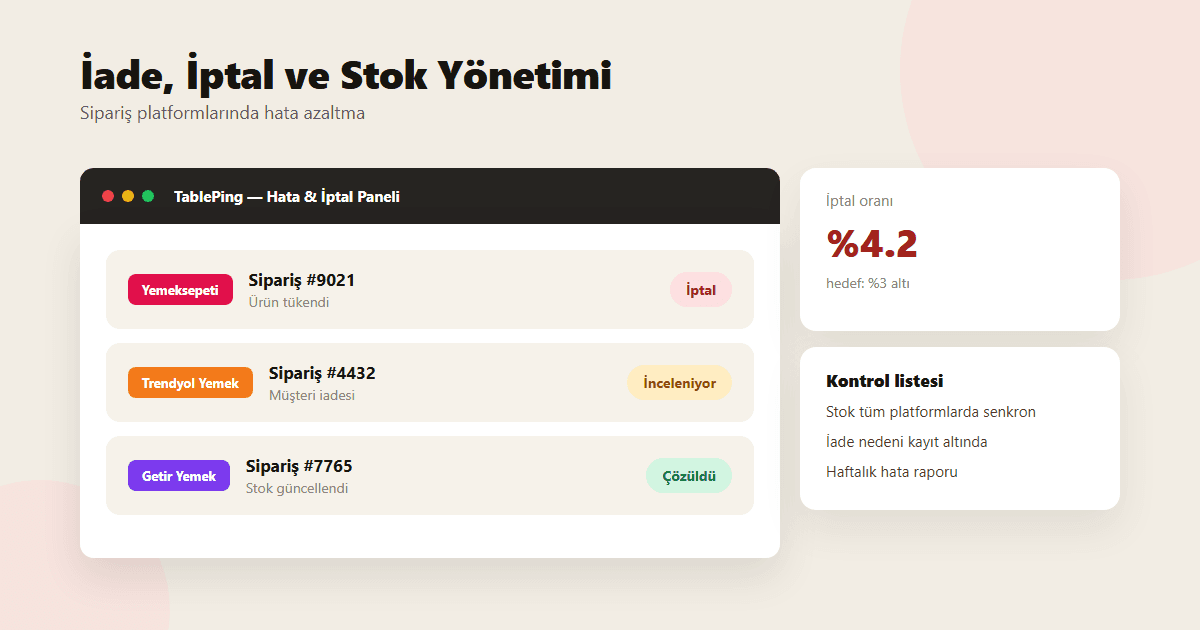
Managing Refunds, Cancellations, and Stock-Outs Across Delivery Platforms
A practical framework for lowering cancellation rates on Yemeksepeti, Trendyol Yemek, and Getir Yemek, marking stock-outs across every platform at once, and logging refund reasons.
When a restaurant runs three delivery platforms on three separate tablets, the most overlooked issue isn’t cancellations or refunds themselves — it’s how slowly they get noticed. When an item sells out, marking it on one platform only leaves the other two still selling it. The result: a customer orders, the kitchen says "we’re out," and the restaurant has to cancel through the platform — a metric that lowers the restaurant’s performance score there.
This guide covers how to handle refunds, cancellations, and stock-outs across delivery platforms with less loss.
1. Why cancellations and refunds get noticed late
In a restaurant running three separate platform tablets, kitchen staff usually watch one screen at a time; the other two quietly queue orders in the background. When an item sells out, that update only lands on the tablet being watched — the other two still show it as available.
The delay grows during rush hours: the kitchen has no time to switch tablets every five minutes, so the cancellation isn’t caught until the next order check.
- Kitchen staff focused on one tablet notice other platforms late
- Unsynced stock means a sold-out item keeps selling elsewhere
- The delay compounds during rush hours, raising cancellation counts
2. Marking stock-outs across every platform at once
Marking an item "sold out" in the TablePing panel pushes that status to your connected Yemeksepeti, Trendyol Yemek, and Getir Yemek accounts at the same time. One click closes the item across all three platforms; when stock is back, one click reopens it just as fast.
This directly cuts cancellations for items that sell out at specific times of day — an evening dessert, or a main course made in limited batches.
- One-screen "sold out" marking pushes to all three platforms
- Stock coming back reopens just as fast
- Frequently sold-out items become visible in the panel
3. Logging the reason behind every refund
When an order is cancelled or refunded, logging why is the only way to spot a recurring problem. Categories like "item sold out," "wrong item prepared," or "courier delay" show, over time, exactly where the repeating issue sits.
This log is kept centrally in the TablePing panel rather than inside each platform, so you can compare which type of cancellation happens more often at which branch.
- Cancellation/refund reasons logged in standard categories
- Comparable across branches
- Recurring failure points become clear over time
4. Tracking cancellation rate weekly, against a target
Delivery platforms fold cancellation rate into a restaurant’s performance score; a high rate can lower visibility in search results. That’s why cancellation rate needs to be a weekly metric, not a one-off check.
A reasonable target is keeping cancellations under 3% of total order volume. In weeks that cross the threshold, you should be able to look back and see which item or time slot was responsible.
- Track cancellation rate weekly
- Target: under 3% of total orders
- When the threshold is crossed, review which item/time slot caused it
5. Building a checklist from one panel
The most practical way to cut refunds and cancellations is managing all three platforms from one panel instead of separately. When stock updates, cancellation-reason logging, and a weekly cancellation report sit on the same screen, the team quickly sees which item causes trouble and how often.
That visibility lets the kitchen answer "how much of this is left" instantly, and keeps host and cashier staff from checking each platform separately.
Refunds, cancellations, and stock-outs can’t be eliminated entirely on delivery platforms, but they don’t have to be a problem that grows with delay. Syncing stock from one screen, logging cancellation reasons, and tracking cancellation rate weekly protects both the guest experience and your platform performance score.
Try the order-platform integrations with a free TablePing trial.